Top Software Solutions to Streamline Your Computer Maintenance and Use
Keeping your computer reliable and efficient saves you time, preserves your files, and reduces frustration when things go wrong. This shortlist focuses on practical computer software that helps you migrate, optimize, recover, secure, and capture on Windows systems so you can pick tools that match your immediate needs and skill level. You’ll get clear options whether you want a one-click rescue, a deep clean, or specialized utilities for data transfer and security.
Top Picks
Category |
Product |
Score |
|---|---|---|
🏆 Best Transfer Tool |
92/100 |
|
🎨 Best Multimedia Suite |
76/100 |
|
⚡ Best Performance Tuner |
86/100 |
|
🔍 Best Data Recovery |
72/100 |
|
🔐 Best Password Rescue |
88/100 |
|
🗑️ Best Secure Shredder |
78/100 |
|
📹 Best Screen Capture |
80/100 |
How We Selected These Tools
You want software that actually solves the problem without creating more work, so we prioritized reliability, compatibility with current Windows versions, and clarity of results. We looked for tools that deliver measurable benefits such as saving time during migrations, improving system responsiveness, recovering lost files, or securing data before disposal.
Ease of use matters because not every task requires deep technical skill, and value matters because the best tool for you balances feature set, support, and price. Security, vendor reputation, and real-world user feedback rounded out the assessment so the picks perform well in everyday maintenance and troubleshooting.
If you’re moving to a new Windows machine and dread reinstalling everything, this computer software is built to spare you that work. You follow a guided process, connect the machines with the optional Ethernet cable or other supported method, and PCmover moves applications, personal files, and settings in one pass.
That makes it especially useful when you have older programs without install media or long custom setups that would be tedious to rebuild. Transfers are generally reliable and time-saving, though the tool is designed as a one-way move and licenses can limit how many machine pairs you can migrate.
For everyday upgrades and for rescuing hard-to-reinstall apps, it’s a practical choice that keeps the focus on getting your new PC ready to use quickly.
Usability
Aspect | Ease Level | Notes |
|---|---|---|
Setup | Easy | Installer walks you through steps and detects source/target machines. |
Migration Process | Easy | One-way transfer; launch, select what to move, and let it run in the background. |
Compatibility | Moderate | Works with many Windows versions but very old or niche apps may need manual adjustment. |
License Flexibility | Restricted | Licenses often limit transfers to a set number of PCs or pairs; additional moves may require another license. |
Key Benefits
- Moves applications, files, and settings together to avoid manual reinstalling
- Guided process that reduces guesswork and hands-on time
- Supports high-speed Ethernet cable to speed large transfers
- Good option when you lack install media or have many legacy programs
Rating: 4.2/5 (total: 6399+)
Shop NowWhen you need one package to handle photos, video, screen capture, and disc burning, this computer software bundles those tools so you don’t have to hop between apps. You can trim clips, touch up photos, record your screen for a quick tutorial, and burn or copy discs for archiving or gifts. It works well for everyday tasks like resizing and exporting images, and for special projects such as creating DVDs for events or converting old media.
Some users find it resource-heavy on older machines, and occasional stability issues have been reported, so check system compatibility before you start. If you prefer an all-in-one multimedia toolkit rather than assembling separate apps, this suite is a practical option.
Usability
Aspect | Ease Level | Notes |
|---|---|---|
Setup | Moderate | Installer requires an internet connection for registration and updates; follow prompts to enable all features. |
Editing Tools | Moderate | Most photo and video tools are approachable, but advanced features have a learning curve. |
Disc Burning | Easy | Industry-standard burning tools make copying and creating discs straightforward once media is available. |
Stability | Variable | Performance depends on your system; newer, well-resourced PCs run smoothly, older machines may see crashes. |
Key Benefits
- All-in-one collection for editing, recording, converting, and burning
- Includes photo editing and animation tools for creative projects
- Easy file conversion to common formats for sharing and archiving
- Disc burning and copying tools for backups and physical media distribution
Rating: 3.7/5 (total: 151+)
Shop NowIf your Windows PC feels sluggish or cluttered, this computer software gives you a straightforward way to tidy things up without diving into system menus. You can run cleaning routines to remove temporary files, tweak hidden settings that affect responsiveness, and enable privacy modules to limit background data sharing. It works well as a regular maintenance tool for everyday use and as a quick refresh before a big project or presentation. The interface groups common tasks so you don’t have to hunt for options, and scheduling lets you automate routine upkeep.
It’s a practical pick when you want noticeable improvements with minimal fuss.
Usability
Aspect | Ease Level | Notes |
|---|---|---|
Setup | Easy | Installer is straightforward and presents common tools upfront. |
Cleaning Tools | Easy | One-click scans remove temporary files and obvious clutter quickly. |
Privacy Controls | Moderate | Options are clear but choosing the right privacy settings may require a quick read. |
Automation | Easy | You can schedule cleaning and maintenance tasks so upkeep happens quietly in the background. |
Key Benefits
- Cleans system junk and frees disk space
- Exposes and centralizes hidden Windows settings
- Adds privacy controls to reduce data sharing
- Scheduling lets you automate routine maintenance
Rating: (total: +)
Shop NowIf you’ve ever emptied the recycle bin and immediately wished you hadn’t, this computer software is designed to be the tool you reach for. It runs quick scans to surface recently deleted items and offers deeper scans for drives that need more work.
You can use it for everyday mistakes like deleted photos or for more stressful situations such as recovering files after accidental formatting or a corrupted partition. Results vary by file type and the condition of the drive, so it’s helpful when you want a straightforward recovery attempt before resorting to professional help.
The interface keeps tasks simple, which is handy when you just want to try and get a specific file back without fuss.
Usability
Aspect | Ease Level | Notes |
|---|---|---|
Scan & Recovery | Moderate | Quick scans return recent deletions fast; deep scans take longer but can find more data. |
File Preview | Moderate | Previews help you identify recoverable files, though some recovered files may be corrupted. |
Compatibility | Easy | Designed to work across Windows 7 through 11 so you can try recovery on most PCs. |
User Skill | Moderate | You don’t need to be a tech expert, but knowing where files were stored speeds up the process. |
Key Benefits
- Recovers a wide range of file types including photos, videos, audio, and documents
- Provides quick and deep scan options for different loss scenarios
- Simple interface aimed at non-experts who need a straightforward recovery attempt
- Compatible with current Windows versions for broad applicability
Rating: 3.5/5 (total: 175+)
Shop NowWhen you’re locked out of a Windows machine, this computer software packaged on a USB stick can be a straightforward way back in. You create a bootable flash drive, follow clear steps, boot the troubled PC from the stick and reset the local account password. It’s handy for reviving an old laptop, rescuing a forgotten admin password, or avoiding a full system wipe when data matters. Results depend on the Windows version and system boot settings, so you may need to tweak BIOS/UEFI boot order.
The instructions are aimed at non-experts, making it a practical tool when you want a direct, low-friction recovery route.
Usability
Aspect | Ease Level | Notes |
|---|---|---|
Setup | Easy | Create the bootable USB on a working PC following the included steps. |
Using The Tool | Moderate | Booting from USB and selecting the account is straightforward but requires changing boot order on some PCs. |
Compatibility | Moderate | Designed for Windows 7 through 11; very old or unusual systems may not be supported. |
Documentation | Easy | Instructions are clear for basic use, which helps if you’re not comfortable with recovery steps. |
Key Benefits
- Lets you reset local Windows passwords without reinstalling the OS
- Simple workflow aimed at non-technical users
- Useful for older machines or devices you plan to refurbish
- Avoids data loss that comes with full system resets
Rating: 4.1/5 (total: 1209+)
Shop NowWhen you need to make sure sensitive data is truly gone, this USB-based computer software provides a straightforward option. You plug the stick into a Windows PC, run the included wipe utility and choose whether to target individual files, free space, or an entire drive. That makes it useful when you’re preparing a device for resale, recycling, or secure disposal, or when you want quick, offline erasure without complex command-line tools.
Some users report the documentation is sparse, so you may want to check the vendor site for details, but for routine secure wiping this tool keeps the process simple and portable.
Usability
Aspect | Ease Level | Notes |
|---|---|---|
Setup | Moderate | Plug-and-run for many systems, though some setups require following included steps or a short install. |
Operation | Easy | Choosing a wipe mode and starting the process is straightforward once you locate the right option. |
Mode Selection | Moderate | Deciding between file, free-space, or full-drive wipes matters; pick the correct mode to avoid accidental data loss. |
Documentation | Variable | Some buyers noted limited instructions in the package, so you may need to consult online guides for clarity. |
Key Benefits
- Permanently deletes files using military-grade overwrite methods
- Can wipe individual files, free space, or whole drives
- Portable USB format for on-the-spot secure wiping
- Helpful for privacy, resale preparation, and compliant disposal
Rating: 3.6/5 (total: 14+)
Shop Now
If you need a no-fuss way to record your screen or grab screenshots, this computer software keeps things straightforward. You can capture tutorials, record meetings, save gameplay moments, or snag a frame from streaming video without juggling multiple apps. The interface focuses on basic controls so you can start recording quickly, and it’s handy for one-off tasks or occasional content creation.
Some users report it installs and runs without issue, while a few older or unusual systems may face loading problems. For everyday recording and screenshots when you want something simple and approachable, it’s a solid choice.
Usability
Aspect | Ease Level | Notes |
|---|---|---|
Setup | Easy | Installer is straightforward for most Windows PCs; follow prompts to enable recording permissions. |
Recording | Easy | Start/stop controls are simple and let you capture the whole screen or a selected area. |
Screenshots | Easy | Taking and saving stills is immediate, useful for grabbing on-screen data quickly. |
Compatibility | Variable | Generally works across supported Windows versions but a few users report load or install issues on certain machines. |
Key Benefits
- Quickly record screen video with basic audio capture
- Capture screenshots with minimal setup
- Simple interface that reduces setup time for one-off tasks
- Useful for tutorials, meetings, gameplay clips, and archiving on-screen info
Rating: 3.8/5 (total: 43+)
Shop NowFAQ
How Do I Choose The Right Maintenance Software?
Start by matching the tool to the task you need—migration, cleanup, recovery, secure wiping, or screen capture—since no single program excels at everything. Check compatibility with your Windows version, read real-world user feedback about stability and vendor support, and confirm licensing terms so you don’t run into unexpected limits. Prioritize clarity of interface if you prefer simple workflows, and look for regular updates and clear documentation when picking computer software that you’ll rely on for ongoing maintenance.
Can Migration Or Recovery Tools Always Save My Apps And Files?
They can often recover data and move many applications, but results vary by program, system configuration, and file condition. Migration tools commonly transfer user files and many apps, yet some software requiring specific licensing or hardware drivers may still need reactivation or manual reinstall; recovery tools may surface deleted files but recovered items can be corrupted depending on how the drive was used.
Before you start, make a full backup and treat the process as a best-effort step rather than a guaranteed fix, and test crucial applications on the target machine to confirm they behave correctly.
What Should I Know About Recovering Or Permanently Erasing Sensitive Data?
If you want files back, stop using the affected drive immediately because any writes reduce the chance of successful recovery; do not write to the drive and run a deep scan with recovery-focused computer software. For secure deletion, choose a tool that offers verified overwrite methods and understand whether you need to erase individual files, free space, or the entire drive; note that SSDs require different procedures than spinning disks and a vendor-recommended secure-erase or encryption approach is often better.
In both cases, keep a verified backup of important data before proceeding and consult vendor instructions if any step feels unclear.
What Customers Prefer
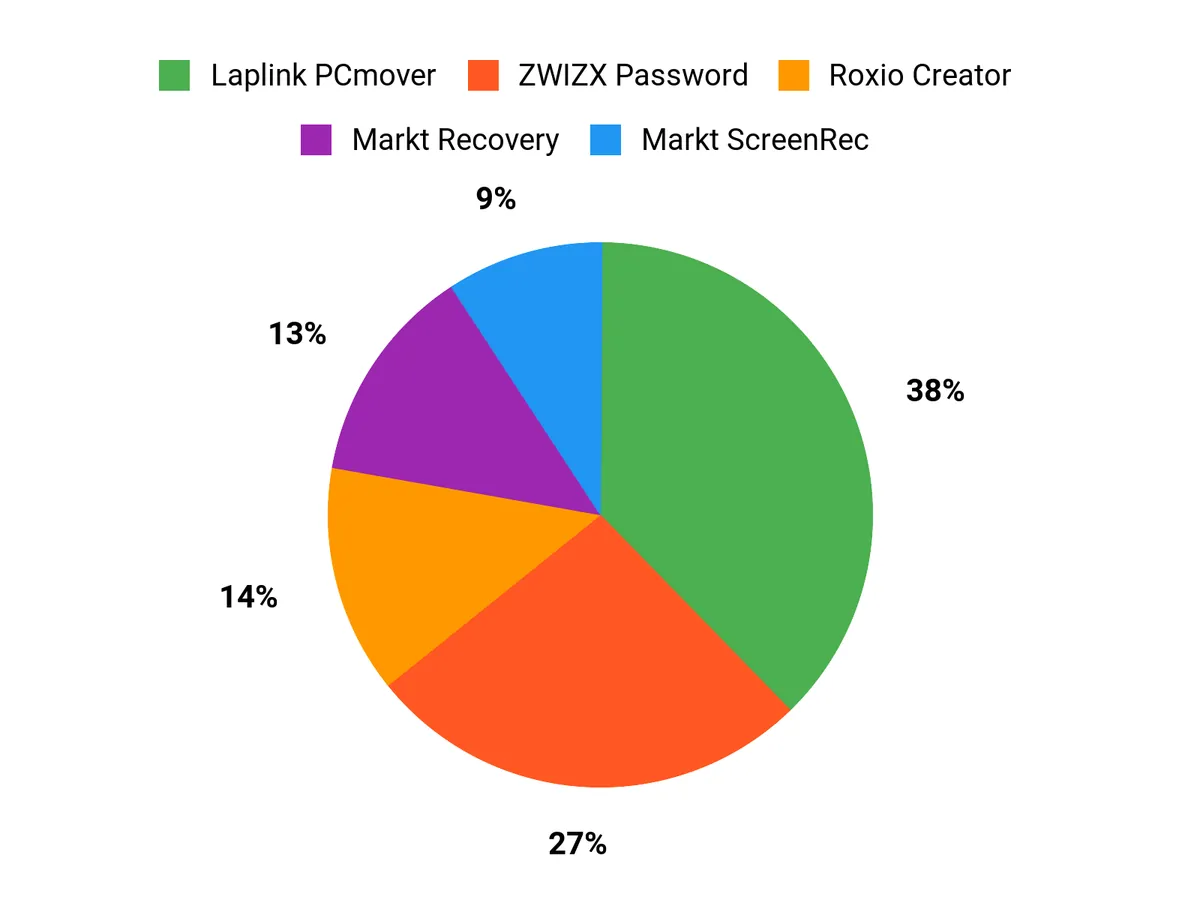
When you choose between Laplink PCmover, Roxio Creator, and Ashampoo WinOptimizer you’re usually balancing task focus and ease of use: customers pick PCmover for reliable application and settings migration, Roxio Creator for an all-in-one multimedia toolkit, and WinOptimizer when the goal is to boost system responsiveness and privacy. Across these options you’ll also want clear interfaces, dependable compatibility with your Windows version, and computer software that actually solves the problem with minimal fuss, so prioritize the feature set that matches your immediate need and the vendor’s track record for updates and support.
Wrapping Up
These selections aim to give you clear, specialised options depending on the job: migrate a full system with Laplink PCmover, manage multimedia projects with Roxio Creator, tune Windows performance with Ashampoo WinOptimizer, or address specific needs like data recovery, password reset, secure shredding, and screen capture. Choosing the right computer software saves time and lowers the risk of data loss, so pick the tool that aligns with the task and your comfort level with tech.
| Product Name | Image | Rating | Key Highlights | Compatibility |
|---|---|---|---|---|
| Laplink PCmover Ultimate 11 |  | 4.2/5 (N reviews) |
| Windows 10 and 11 (may vary by application) |
| Roxio Creator NXT Pro 9 |  | 3.7/5 (N reviews) |
| Windows 10 or 11, 64-bit required for some functionality |
| Ashampoo WinOptimizer 28 |  | N/A |
| Windows operating systems (versions not specified) |
| Data Recovery Software |  | 3.5/5 (N reviews) |
| Windows 11, 10, 8.1, 7 |
| Password Reset USB Drive |  | 4.1/5 (N reviews) |
| Windows 11, 10, 8.1, 7 |
| Data Shredder Stick | 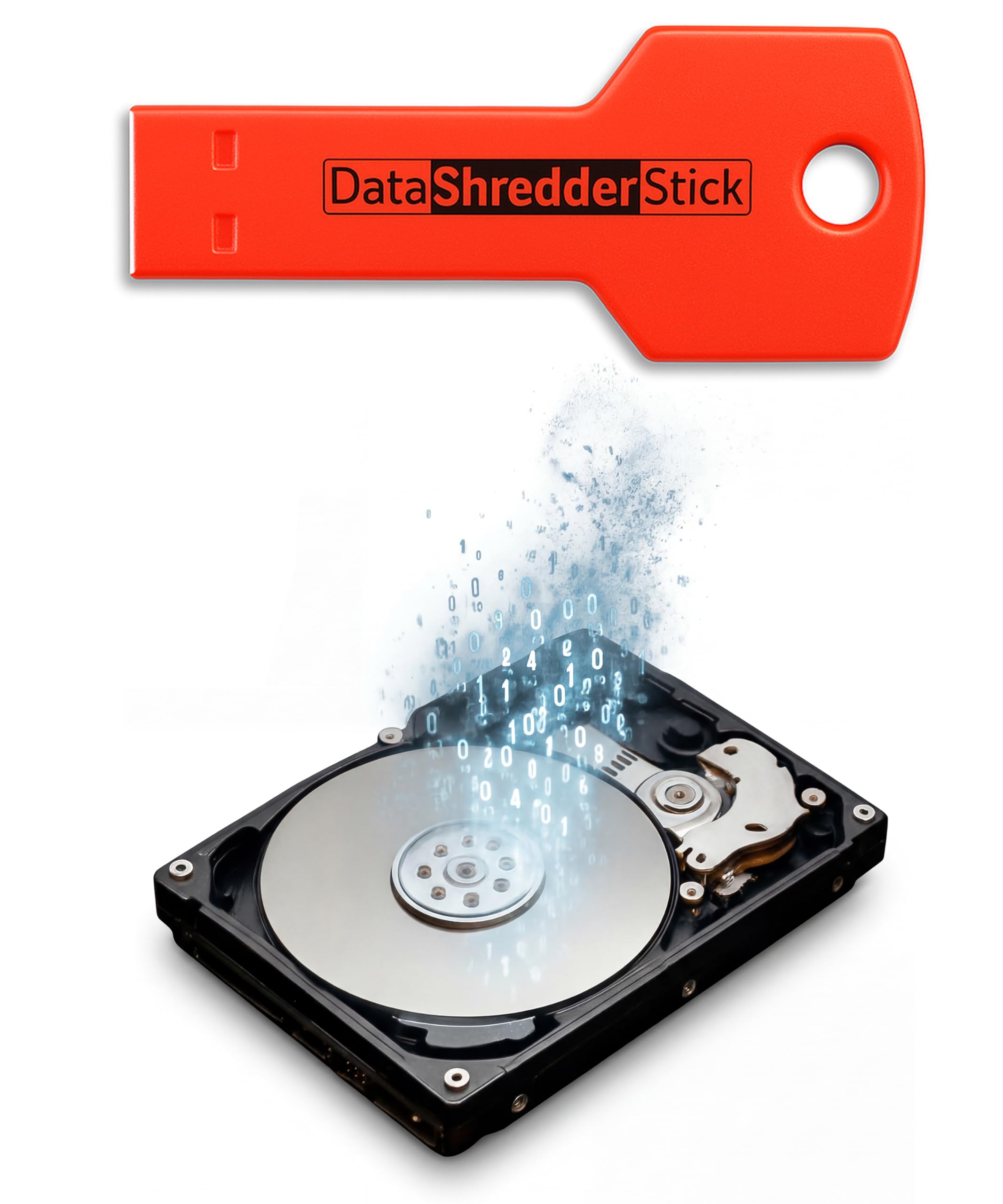 | 3.6/5 (N reviews) |
| Compatible with Windows computers |
Comments
Post a Comment